Product image to video generator

Your product photo,
ready for motion.

Turn one clean product image into a directed AI video for ecommerce, launches, and social ads. Start with a proven motion preset, then keep control of the camera, timing, and continuity.

JPG · PNG · WebP16:9 · 9:165 · 8 seconds
01Choose a direction

Start with one readable motion preset.

02Add your product

Upload a clean source photo in the workspace.

03Review and render

Confirm the prompt, ratio, duration, and cost.

Five directed presets

One clear move.
A stronger product shot.

Each preset loads a complete prompt, aspect ratio, and duration into the workspace. The images below are source stills, not simulated video results.

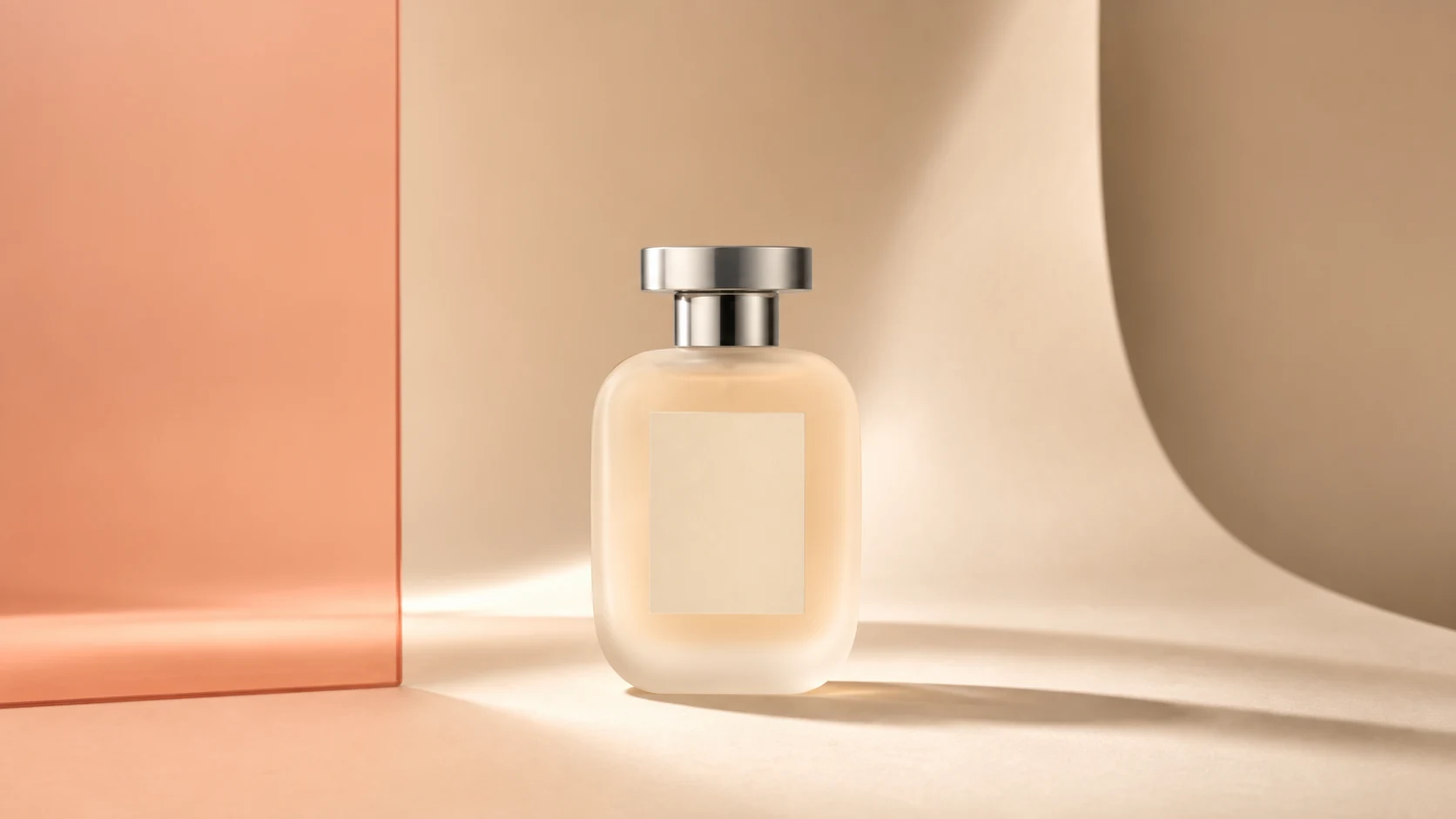
Frosted perfume bottle on an ivory studio set
Source still16:9 · 5 sec
01Show the complete form

Clean studio orbit

A slow, restrained orbit adds depth to a clean product photo while the set and product stay composed like a campaign still.

Camera
Slow 20° orbit
Best for
Hero banners and product detail pages
Protects
Shape, label, set, shadow
Preset prompt

A slow clockwise orbit around the product, revealing a subtle change in perspective while soft studio reflections travel across its surface. Preserve the exact product geometry, label, materials, background, pedestal, and shadow; no deformation, new text, hands, or added objects.

Use this preset
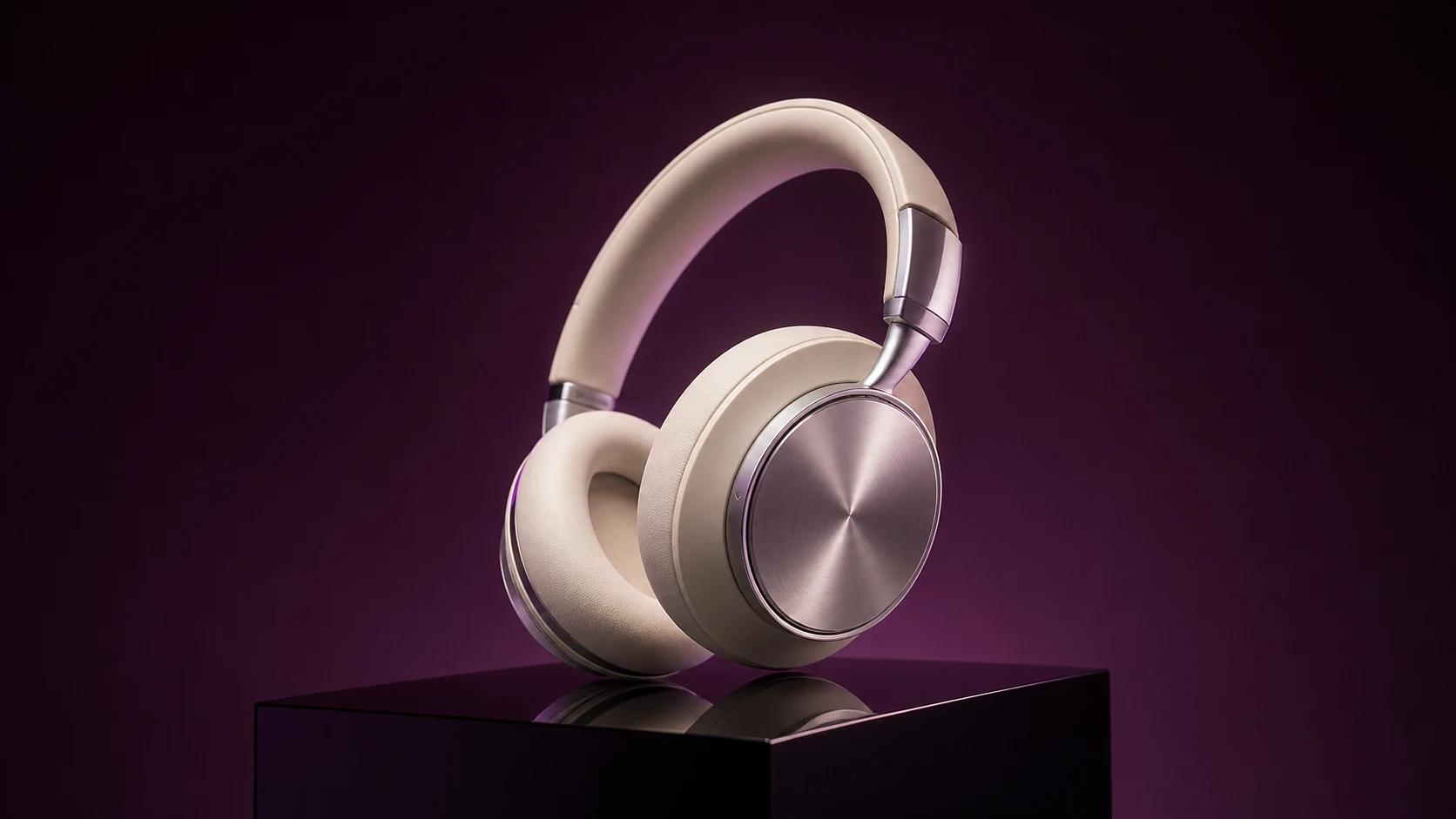
Cream and metal headphones on a dark plum plinth
Source still16:9 · 5 sec
02Let light do the work

Luxury reveal

A measured push-in and one moving highlight create a premium reveal without asking the product to rotate or transform.

Camera
Centered slow push-in
Best for
Launch films and premium electronics
Protects
Materials, edges, proportions
Preset prompt

Push in slowly toward the product as a restrained violet rim light travels across the premium materials. Keep the product stationary and preserve its exact geometry, surface finish, plinth, and dark studio background; no rotation, deformation, logos, or invented reflections.

Use this preset
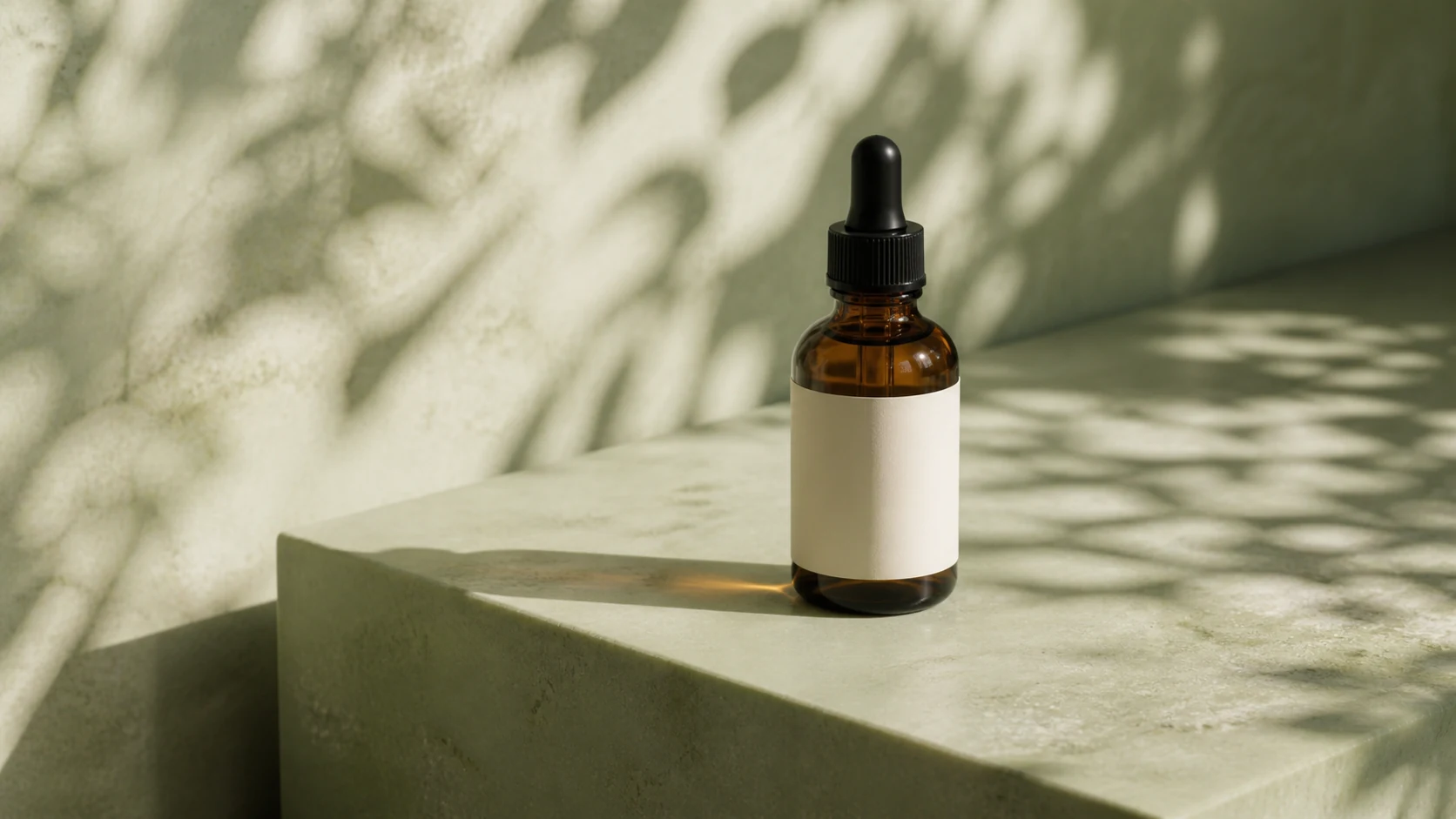
Amber serum bottle on a pale sage stone pedestal
Source still16:9 · 5 sec
03A weightless visual beat

Floating product

Lift a simple packshot a few centimeters with calm rotation and controlled shadows for an art-directed ecommerce moment.

Camera
Locked camera, subtle lift
Best for
Beauty, wellness, and compact products
Protects
Packaging, label, liquid, set
Preset prompt

The product rises only a few centimeters above the pedestal and makes a very slow, controlled quarter turn while its shadow softens beneath it. Keep the bottle, cap, blank label, liquid color, background, and pedestal coherent; no wobble, morphing, spills, extra packaging, or text.

Use this preset
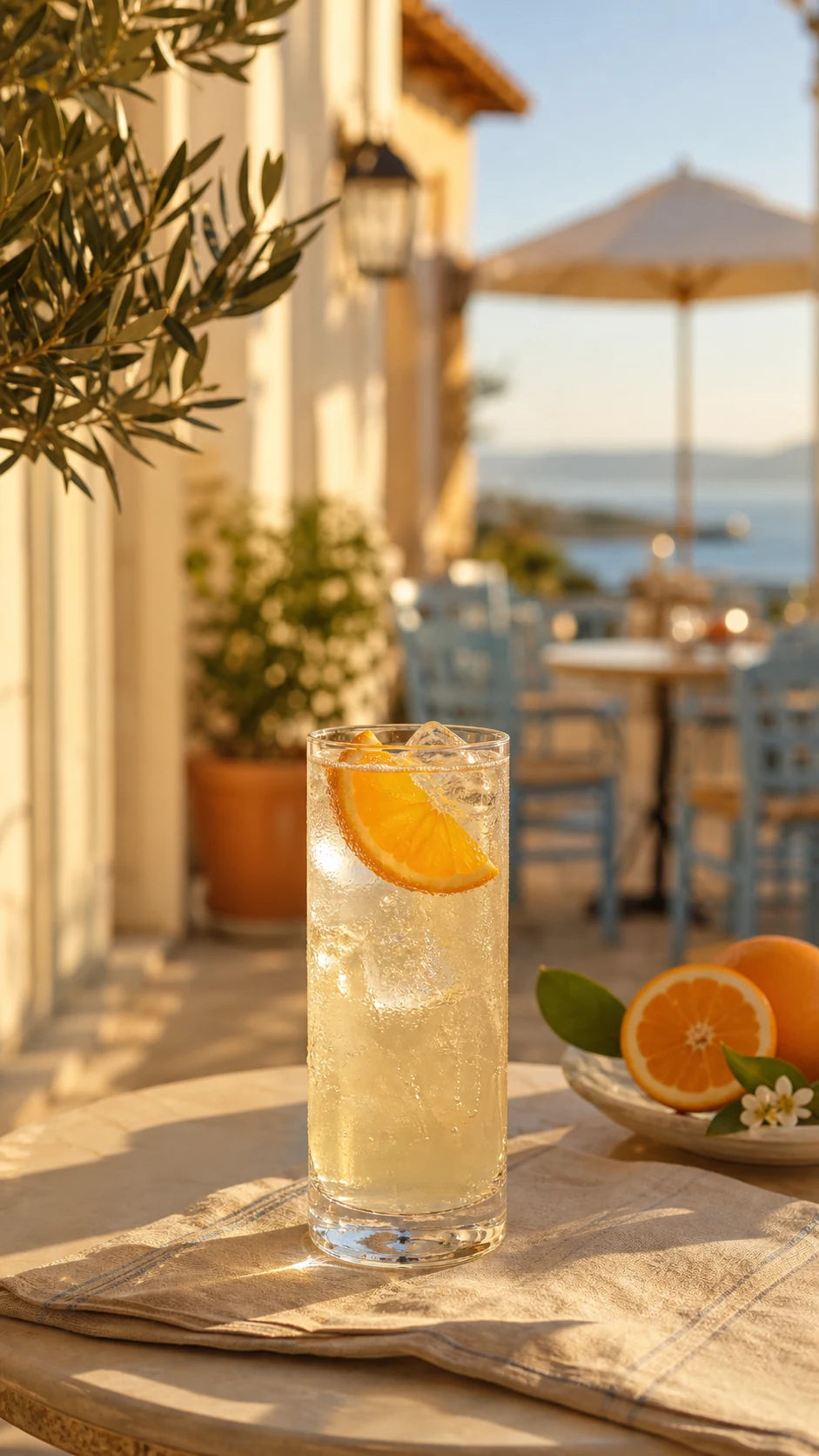
Sparkling citrus drink with condensation in warm sunlight
Source still9:16 · 5 sec
04Move into the material

Macro detail

A close, deliberate camera move lets texture, condensation, or craftsmanship carry the story in a short detail shot.

Camera
Controlled macro push
Best for
Ingredients, texture, and sensory detail
Protects
Surface, color, garnish, framing
Preset prompt

Make a controlled macro push toward the product surface as tiny beads of condensation catch the warm light and fine bubbles rise naturally. Preserve the glass shape, garnish, color, ice, table setting, and background; no splashes, new ingredients, camera shake, or text.

Use this preset
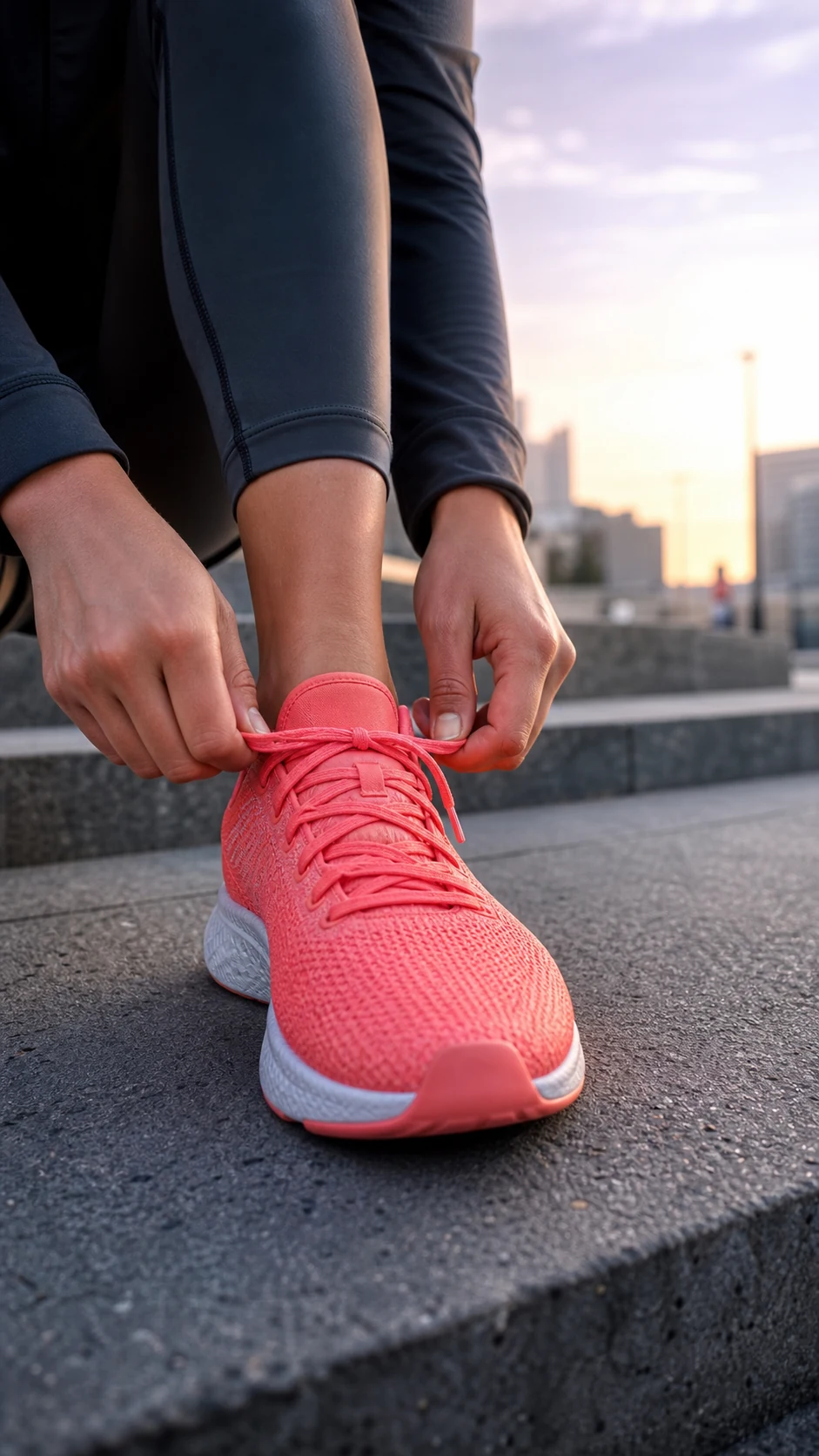
Runner tying a coral shoe on modern city steps
Source still9:16 · 5 sec
05Motion in the first beat

Vertical social ad

A 9:16 composition uses an immediate push and one readable action to turn a lifestyle product frame into a social-ready hook.

Camera
Low-angle camera rise
Best for
TikTok, Reels, and paid social
Protects
Product design, anatomy, identity
Preset prompt

Begin tight on the product as the hands finish one clear action, then rise slightly with the subject’s first movement. Preserve the exact product design, hands, clothing, urban setting, dawn light, and anonymous framing; no face reveal, new logos, extra limbs, or added captions.

Use this preset

Plan for placement

Frame it where
people will watch.

Choose the final aspect ratio before generation. Cropping a finished landscape video into a vertical ad can cut off the product and weaken the composition.

16:9

Landscape product video

Use for ecommerce hero banners, product detail pages, YouTube, and presentation screens.

9:16

Vertical social ad

Use for Reels, TikTok, Shorts, and mobile placements where the product needs to own the full frame.

Continuity first

Leave room for the move.

A tight crop limits camera motion. Start with breathing room around the product, avoid tiny critical text, and use one action per clip.

Build a custom product prompt →

What to expect

AI motion is generative,
not a product scanner.

The presets reduce ambiguity, but every model can still reinterpret small text, reflections, transparent materials, hands, or intricate packaging. Treat the first generation as a creative take, not a guaranteed reproduction.

  • Review logos, labels, dimensions, and hands frame by frame.
  • Do not publish claims or packaging details the model invented.
  • Try a simpler camera move when exact product fidelity matters most.
See the full official example library →

Questions

Product video FAQ

What product photo works best?

Use a sharp JPG, PNG, or WebP with a clearly visible product and enough room for the camera move. Simple backgrounds and clean edges usually give the model fewer details to reinterpret.

Will the AI preserve my logo and packaging text?

The prompts tell the model to preserve labels and text, but generative video can still distort small typography. Review every result before publishing an ad, and prefer wider shots when exact tiny text is critical.

Should I use 16:9 or 9:16?

Choose 16:9 for site banners, product pages, presentations, and landscape ads. Choose 9:16 when the final placement is TikTok, Reels, Shorts, or another full-screen mobile feed.

How long should a product clip be?

Five seconds is enough for one clear reveal or detail beat. Use eight seconds only when the motion needs room to breathe; combining several actions in one short generation is less predictable.

Which panels are generated videos?

The hero plays a real Wan 2.2 Fast output. The five preset panels are clearly labeled source stills so you can see the kind of input each direction fits before uploading your own product photo.
Ready for your frame?

Pick a preset.
Make it yours.

Open the workspace with a directed product prompt, upload your own image, and review the complete shot plan before generating.

Create a product video